


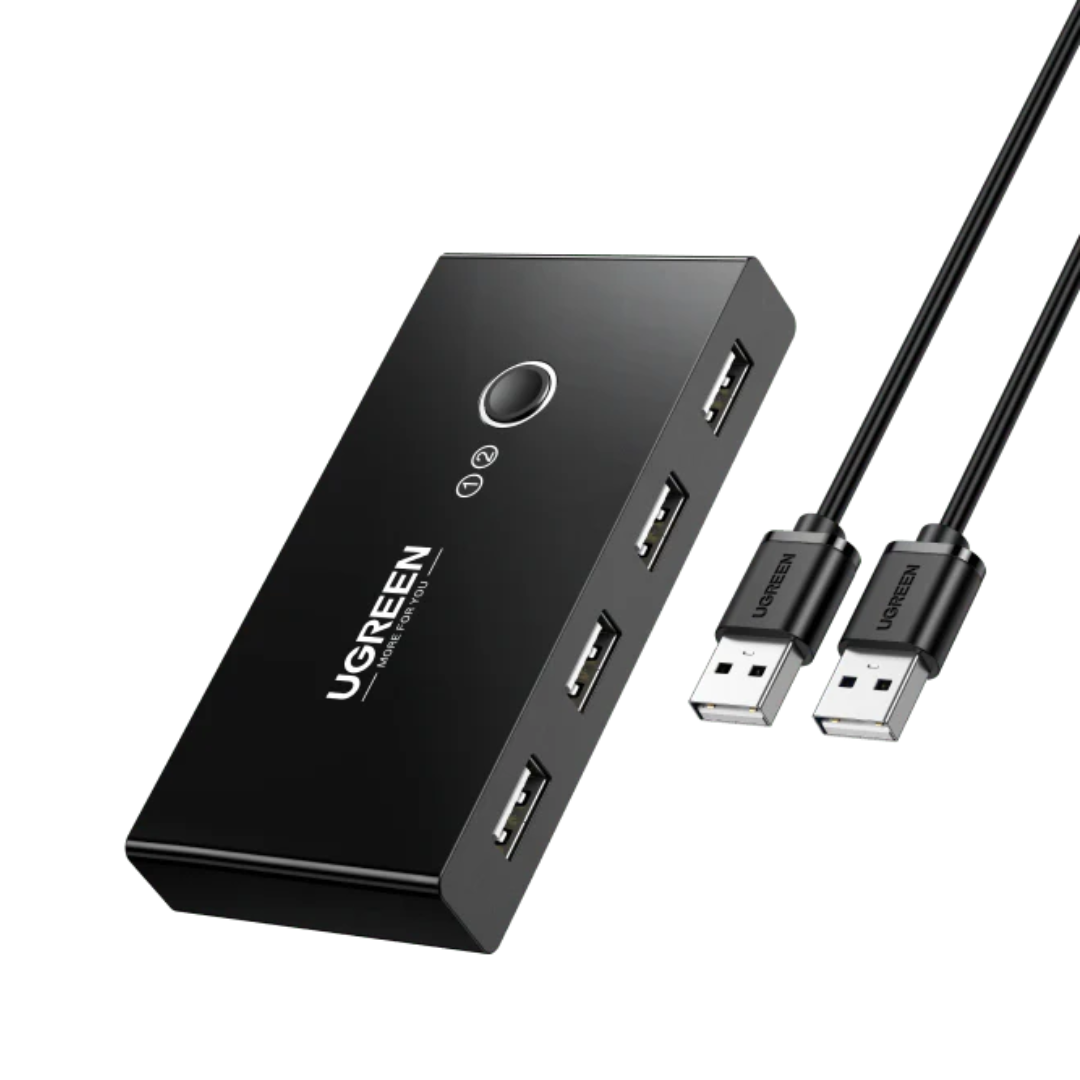
UGREEN 2-in-4 USB Switch for Sharing 4 USB Peripherals Between 2 Computers with Quick Button Switching
This UGREEN USB switch is a practical solution for those who use two computers and want to share the same peripherals without constantly connecting and disconnecting cables. It allows you to easily switch between two computers to use devices such as a keyboard, mouse, printer, scanner, or USB stick from a single control point. It is ideal for office desks, home workstations, and spaces where order, comfort, and a stable connection are desired.
Benefits
- Allows sharing up to 4 USB peripherals between 2 computers.
- Avoids manually swapping cables every time you use a different computer.
- Helps keep your desk cleaner and more organized.
- Makes working with a laptop and PC at the same station more convenient.
- Facilitates using a single printer or scanner with two computers.
- Reduces wear and tear on ports and connectors from constant connections.
- Its button-activated switching is fast and easy to use.
- Offers a simple solution for office, home office, and study.

Features
- 2-in-4 design for sharing peripherals between 2 computers.
- 4 USB 2.0 output ports for compatible peripherals.
- Single-button switching.
- LED indicators to identify the active computer.
- Transfer speed of up to 480 Mbps.
- Plug and play operation, no driver installation needed.
- Compatible with Windows, macOS, Linux, and Chrome OS.
- Supports peripherals such as keyboard, mouse, printer, scanner, and USB drive.
- Includes 2 USB-A to USB-A cables.
- 5V auxiliary power for improved stability with certain devices.

Ideal for
- Offices where two computers share USB peripherals.
- People who work with a desktop PC and laptop at the same time.
- Users who want to share a printer or scanner without moving cables.
- Workspaces where order and practicality are important.
- Setups with unique keyboard and mouse for two computers.
- Users who need to switch quickly between two computers.
- Home office, support stations, reception, cashiers, or administrative areas.

Comparison
- Connecting and disconnecting peripherals manually: takes time and creates clutter
- This product: switches between 2 computers with a single button
- Using separate peripherals for each computer: takes up more space and increases costs
- This product: allows sharing up to 4 USB devices from a single base
- Working with a cluttered desktop: complicates organization
- This product: helps maintain a cleaner and more practical workstation
- A KVM switch with video: also designed for monitor and image signal
- This product: shares USB peripherals and data, not video signal
- Improvised solutions with adapters and reconnections: can be inconvenient
- This product: offers direct, stable, and more organized operation
Specifications
- Brand: UGREEN
- Type: USB 2.0 switch
- Configuration: 2 inputs / 4 outputs
- Peripheral ports: 4 x USB 2.0
- Maximum transfer speed: up to 480 Mbps
- Control: Physical toggle button
- Indicators: LED
- System compatibility: Windows, macOS, Linux, and Chrome OS
- Operating voltage: 5V
- Includes: 1 USB switch and 2 USB-A to USB-A cables
- Main use: sharing USB peripherals between 2 computers
- Important: does not transmit video or share a monitor
Reasons to Choose
- It's a simple and effective way to work with two computers without duplicating peripherals.
- Allows saving desk space and reducing cable clutter.
- It is useful in both professional and home office environments.
- Its button operation facilitates quick switching between devices.
- Compatibility with various systems makes it versatile for different environments.
- It is a practical solution for sharing a printer, keyboard, mouse, and more from a single base.
CTA
Work with more order, fewer cables, and greater convenience using the same peripherals on two computers.
If you're looking for a practical solution for your desk, office, or mixed workstation, this UGREEN USB switch helps you simplify your space and improve your daily routine.
Guided tour — 06 PUNTOS
Product Infographic
Click each bullet point to explore the most important product details.


01 / 06
Share printer or scanner
Ideal for offices and home offices where two computers need to use the same printer or scanner without moving cables.
Resolve your doubts
Frequently asked questions
Find quick answers about this product here.
What is this USB switch for?
Can I use it to share a monitor or video signal?
What devices can I connect to its 4 USB ports?
Does it need installation or drivers to work?
Is it compatible with Windows, Mac, and other systems?
What is the 5V auxiliary power supply for?
-

Secure Payment and Cash on Delivery
-

Premium Accessories
-

Shipping to all of Nicaragua
-

15-Day Guarantee


-
Secure Payment and Cash on Delivery
-
Premium Accessories
-
Shipping to all of Nicaragua
-
15-Day Guarantee