
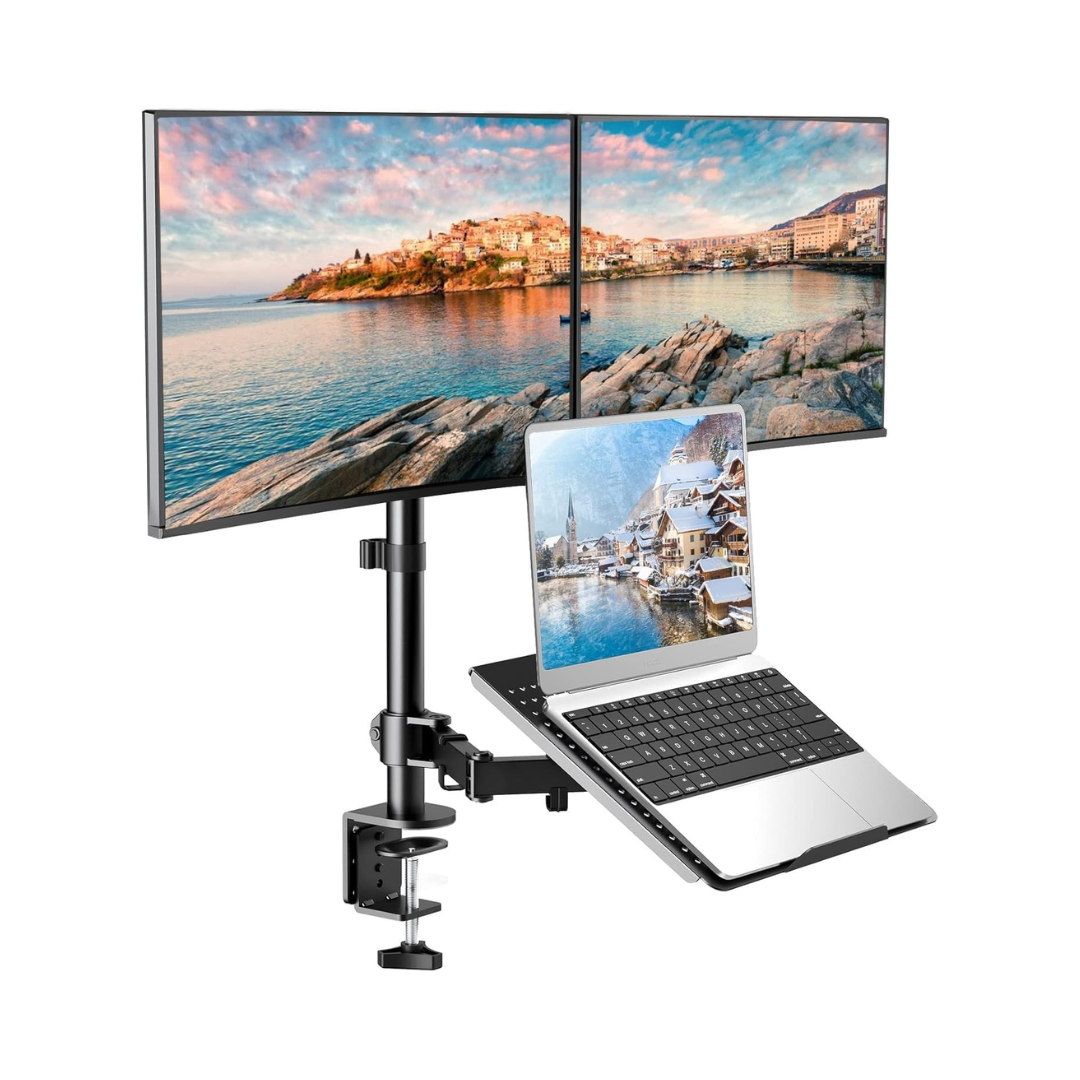
Ergonomic Triple Monitor and Laptop Stand with Full Height, Swivel, and Tilt Adjustment
Optimize your workstation with a desk stand designed to lift two monitors and a laptop in a single structure. Its adjustable design helps free up space, improve viewing posture, and create a much more comfortable setup for working, studying, designing, or handling multiple tasks simultaneously.
Benefits
- Allows mounting two monitors and a laptop on a single base to make better use of your desk.
- Helps maintain a more comfortable posture by elevating screens to a better viewing height.
- Reduces clutter in the workspace by freeing up useful surface area for keyboard, mouse, and accessories.
- Facilitates multitasking with a more organized and functional setup.
- Adapts to different use styles thanks to its tilt, swivel, and rotation adjustments.
- Offers a practical solution for office, home office, study, analysis, programming, and design.

Features
- 2+1 configuration for two monitors and one laptop.
- Compatible with monitors from 13 to 27 inches.
- Ventilated tray for laptops and notebooks up to 17 inches.
- VESA compatibility 75x75 mm and 100x100 mm.
- Adjustable tilt from +90° to -90°.
- 180° lateral swivel for greater positional flexibility.
- 360° rotation for horizontal or vertical orientation.
- Height adjustment on the central pole to better adapt the view.
- Installation by C-clamp or grommet depending on the desk.
- Robust structure designed for a more stable workstation.

Ideal for
- Users who work with two screens and a laptop simultaneously.
- Offices looking for a cleaner, more organized, and professional station.
- Home offices with limited desk space.
- Designers, editors, analysts, programmers, and multitasking users.
- People who want to improve the ergonomics of their workspace.
- Those who need to switch between horizontal and vertical views on their monitors.

Comparison
- Traditional monitor and laptop base on desk: occupies more space and offers less adjustment freedom.
- Adjustable triple stand for 2 monitors and laptop: frees up surface, improves organization, and allows better adjustment of each screen.
- Dual monitor arm without tray: requires an additional laptop stand and can leave the station less integrated.
- Triple stand with laptop tray: concentrates everything in a single structure for a more practical and organized setup.

Specifications
- Product type: Triple desk stand for 2 monitors + laptop
- Monitor compatibility: 13" to 27"
- Laptop compatibility: up to 17"
- VESA compatibility: 75x75 mm and 100x100 mm
- Maximum capacity per monitor: up to 22 lb
- Maximum capacity of laptop tray: up to 11 lb
- Adjustments: tilt +90° to -90°, swivel 180°, rotation 360°
- Screen orientation: horizontal and vertical
- Mounting: C-clamp and grommet
- Recommended use: office, home office, study, and multitasking stations
Reasons to Choose
- Integrates two monitors and a laptop into a single desk solution.
- Helps you create a more ergonomic station without complicating installation.
- Offers ample adjustments to adapt the position to your way of working.
- Improves desk visual order and space utilization.
- Allows for a more professional setup for daily productivity.
- Is an excellent option for those who need versatility without cluttering their desk with separate bases and stands.
CTA
Better organize your space and work with a more comfortable, clean, and functional station every day.
Choose a triple stand designed to elevate your screens, optimize your desk, and give you the flexibility you need to perform better at the office or at home.
Guided tour — 05 PUNTOS
Product Infographic
Click each bullet point to explore the most important product details.


01 / 05
Triple setup
Mount two monitors and a laptop to a single stand for a cleaner, more comfortable, and multi-tasking-ready workstation.
Resolve your doubts
Frequently asked questions
Find quick answers about this product here.
What size monitors is it compatible with?
What size laptop can fit on the tray?
Can the monitors be placed vertically?
Does the installation require drilling into the desktop?
How adjustable is it for finding a comfortable position?
Does it really help improve desk organization and ergonomics?
-

Secure Payment and Cash on Delivery
-

Premium Accessories
-

Shipping to all of Nicaragua
-

15-Day Guarantee


-
Secure Payment and Cash on Delivery
-
Premium Accessories
-
Shipping to all of Nicaragua
-
15-Day Guarantee