


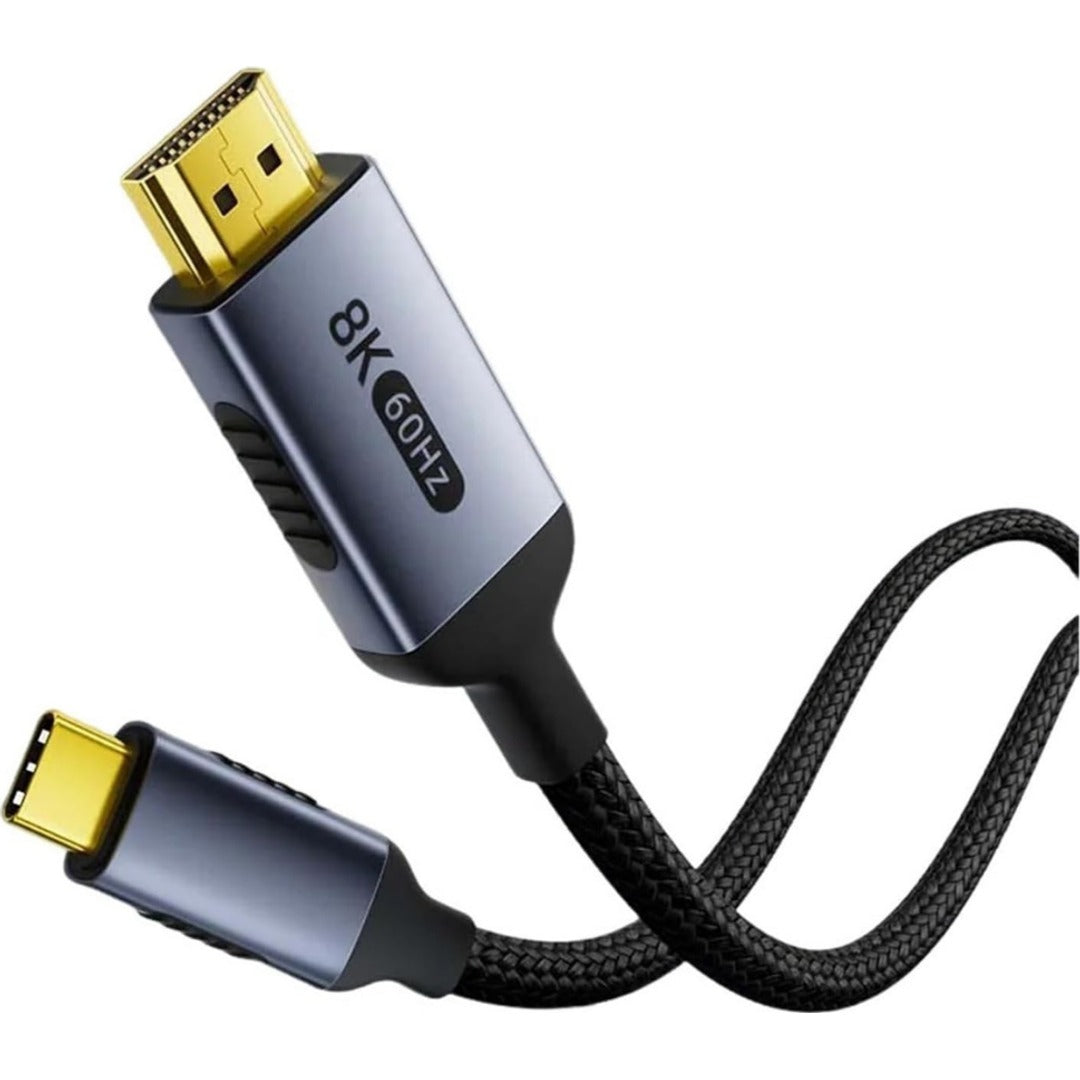
8K Video via USB-C with HDMI 2.1 Bandwidth
This USB-C to HDMI 2.1 cable connects a compatible laptop, tablet, or phone with video output to an HDMI TV, monitor, or projector. It supports resolutions of up to 8K at 60 Hz and 4K at 120 Hz, allowing you to take advantage of high-definition displays and high refresh rates when both devices support them. The 48 Gbps bandwidth and multilayer shielding help maintain a stable transmission, while the built-in chipset manages signal conversion. Its two-meter length provides flexibility for organizing a workstation, room, or presentation area without keeping the equipment right next to the screen. It works with USB-C or Thunderbolt 3/4 ports that support DisplayPort Alt Mode; a USB-C port dedicated solely to charging or data cannot output video. Its design combines key features in a single piece to reduce accessories and maintain a tidier setup during daily use.
Benefits

- Connect compatible USB-C devices to HDMI displays.
- Play up to 8K at 60 Hz when the entire system supports it.
- Enjoy 4K at 120 Hz on compatible monitors and TVs.
- Extend or duplicate your screen for work and entertainment.
- Organize your setup with two meters of length.
- Reduce interference with multilayer internal shielding.
Features

- Reversible USB-C input connector.
- HDMI 2.1 output connector.
- Bandwidth of up to 48 Gbps.
- Thunderbolt 3 and Thunderbolt 4 compatibility.
- VMM6100 chipset for video conversion.
- Shielded construction with tinned copper conductors.
Ideal for

- Laptops with USB-C DisplayPort Alt Mode.
- Mac, Windows, and devices with USB-C output.
- Tablets and phones with video output enabled.
- 8K and 4K TVs with HDMI input.
- High refresh rate monitors.
- Presentations using HDMI projectors.
Comparison
- Common alternative: limits output to 4K at 30 Hz.
- This product: supports up to 8K at 60 Hz and 4K at 120 Hz.
- Common alternative: uses lower bandwidth for video.
- This product: operates with the 48 Gbps HDMI 2.1 specification.
- Common alternative: requires a separate adapter and HDMI cable.
- This product: integrates USB-C to HDMI in a single piece.
- Common alternative: falls short in large installations.
- This product: offers a length of two meters.
- Common alternative: has less protection against interference.
- This product: incorporates multilayer shielding and protected conductors.
Specifications
- Type: USB-C to HDMI cable
- HDMI version: 2.1
- Maximum resolution: 8K at 60 Hz
- Alternative resolution: 4K at 120 Hz
- Bandwidth: up to 48 Gbps
- Length: 2 meters
- Port compatibility: DisplayPort Alt Mode
- Thunderbolt compatibility: versions 3 and 4
- Chipset: VMM6100
- Signal direction: USB-C to HDMI
Reasons to choose
- Integrates conversion without additional adapters.
- Supports next-generation resolutions and refresh rates.
- Two meters make for a tidy installation.
- Shielding helps maintain a stable signal.
- Works with multiple platforms when the port outputs video.
- Useful for work, presentations, and entertainment.
CTA
Choose a practical solution for your routine.
Add it to your cart and equip your space with a functional, compatible, and ready-to-use option.
Frequently asked questions about this product
Does any USB-C port transmit video?
No. The device's USB-C port must support video output via DisplayPort Alt Mode or be Thunderbolt 3/4. Many ports are limited to charging and data. Check the device's specifications or look for the DisplayPort or Thunderbolt symbol before buying.
Can it display 8K at 60 Hz?
Yes, the cable supports up to 8K at 60 Hz, but the final resolution depends on the source device, the display, the HDMI port used, and the system settings. If any of those components has a lower limit, the connection will operate at the highest common available capacity.
Does it work for 4K at 120 Hz?
It supports 4K at 120 Hz when the source and the TV or monitor also support that combination via HDMI 2.1. Select the correct HDMI port on the display and verify that the resolution and refresh rate are enabled in the operating system or compatible console.
Is it suitable for connecting HDMI to USB-C?
No. The signal direction is from a compatible USB-C device to an HDMI display. It does not convert the HDMI output of a console, camera, or computer into a USB-C input for a monitor. For that need, an adapter specifically designed for the reverse direction is required.
Does it need drivers?
It usually works plug and play when the USB-C port supports video. The system detects the display and allows you to duplicate or extend the desktop. If no image appears, check the HDMI input mode, port compatibility, and the device's display settings.
What devices can be connected?
It can be used with laptops, tablets, and phones that have USB-C with video output, and with TVs, monitors, or projectors that receive HDMI. The physical presence of the USB-C connector does not guarantee compatibility; always confirm the video function of the specific model.
Guided tour — 05 POINTS
Product Infographic
Click each bullet point to explore the most important product details.


01 / 05
Multilayer Shielding
Internal shielding reduces interference and helps maintain a stable high-resolution transmission.
-

Secure Payment and Cash on Delivery
-

Premium Accessories
-

Shipping to all of Nicaragua
-

15-Day Guarantee


-
Secure Payment and Cash on Delivery
-
Premium Accessories
-
Shipping to all of Nicaragua
-
15-Day Guarantee